
GAME DETAIL
GravitreX Arcade
種別:ゲーム
発売日:2021年3月3日
日本語対応未確認
1,000円
Steamレビュー
やや好評
71.4%
14件
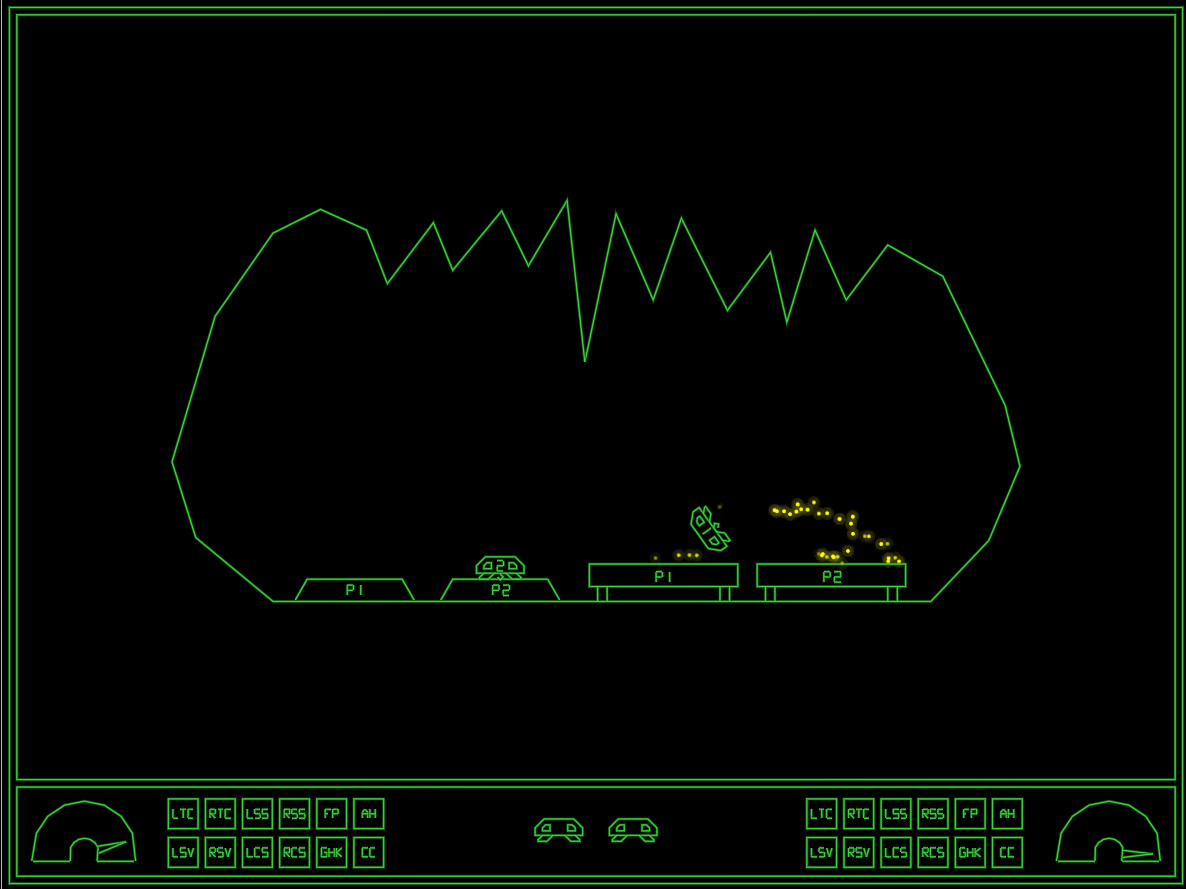
This 2D physics simulation has you trying to land two ships on their respective platform. Like the old classic Lunar Lander, but much more difficult and more heavily physics based.
このゲームについて
Steamの詳しい説明を読む
GravitreX started as a contender in the Swedish Game Awards Warm-up competition "80's Warm-up", which had 80's as its theme. GravitreX won that competition, and was later ported to Android. After a few years on Android, it was then turned into an arcade cabinet. Two or three cabinets still exist today, in different barcades in the Phoenix Arizona region. It has now come time to complete the circle and port it back to PC and Steam.
This 2D physics simulation has you trying to land two ships on their respective platform. Like the old classic Lunar Lander, but much more difficult and more heavily physics based.Features:
Two ships to land, even in singleplayer
Ships are equipped with a grabber which can be used to lift boxes or other ships
Ships are also equipped with an AutoHover System which can be activated by holding down the Switch Ships button (B)
Ships have lots of systems that can be damaged
When damaged, a classic synthetic voice will say what systems are damaged
The voice warnings can be acknowledged (muted) by pressing a button
As this is the Arcade version, every play you will start on level one
Extra ships are awarded every 30k points
35 levels of increasing difficulty. We are not kidding on this one.
Perfect for Arcade Cabinets, can even be set up to accept coins (See 'If you happen to have an arcade cabinet' section below)
Steam achievements
Classic arcade style highscore with initials, with online entries from your Steam friends (All-time), and Global (Today).
The first five players to beat the game will make it onto the "Prime Five" list on the web page
Controls:
XBox 360 Controller:
Bumpers = Thrusters
(A) = Grabber
(B) = Switch Ships / AutoHover (hold)
(X) = Acknowledge warnings (until something else breaks!)
(Y) = Self Destruct
Keyboard:
Left/Right Control = Thrusters
Left Shift = Grabber
Right Shift = Switch Ships / AutoHover (hold)
TAB = Acknowledge warnings (until something else breaks!)
X = Self Destruct
P2 keyboard controls:
F/H = Thrusters
R = Grabber
U = Switch Ships / AutoHover (hold)
E = Acknowledge warnings
I = Self Destruct
Note: Playing two players on one keyboard will likely be crowded, these are more meant to be mapped to from an I-PAC or similar arcade button to keyboard key converter.
Whoever first starts the game will become Player 1. Whoever next pushes a control will become Player 2. If Player 1 has switched ships Player 2 will control Ship 1 only until the end of the level. Starting next level, Player 1 controls Ship 1.Tips and tricks:
A Ship that's been turned upside-down can usually be rescued using the grabber and the other ship. Don't immediately Self Destruct!
Firing both thrusters simultaneously will stop the ship's rotation. If the ship is rotating to the right and you press both thrusters, only the right thruster will fire first, until the rotation has stopped. Unless, of course, the stabilizing system on that side is damaged.
If both ships are destroyed at the same time, the level will be reset. Sometimes you will need to reset a level by self destructing both ships. If one ship is destroyed and you realize the level will need to be reset, Self Destruct the other ship quickly before it respawns, otherwise it will cost an additional life!
If you happen to have an arcade cabinet
This only applies to cabinets with a PC inside of them of course. In the Options screen you will find an option that may interest you:
Coin Handling:
None: This is the normal PC setting. There is no concept of coins, and players can jump in from any controller
Freeplay: No coins needed to play, just press 1P or 2P start.
Internal: This is the normal Cabinet setting. Inserting coins increases the credits ('5' on the keyboard or Select on the controller).
External: This is if you have an external coin mechanism with its own credit counter. It should send keypresses to tell the game the credits situation: '0' for No credits ('INSERT COIN' will be displayed), '8' for 1 credit ('Press 1P Start' will be displayed), or '9' for Multiple credits ('Press 1P or 2P Start' will be displayed). Also, Multiple Credits can be pressed again and again to play the coin inserted sound effect.
In all coin modes except 'None', pressing 1P start ('1' on the keyboard, or Start on Controller 1) will start a 1P game and P1 then controls the game either from keyboard or controller 1. Pressing 2P Start will start a 2P game, with P2 controlling Ship 2 from P2 keyboard controls or controller 2. In the 'None' mode, pressing any input on any controller will start a game with P1 controlling the game from that controller, and the second controller to receive a button press will join as P2.
If you have a cabinet with default Mame key assignments, replace the "KeyMap.cfg" file with the "KeyMap_MAME.cfg" file. If you have different keys assigned, edit the file and adjust accordingly. Because many cabinets only have three buttons, in this config the stick is used for three of the buttons. Left=Mute, Down=Self Destruct and Right=Switch ships/Autohover. Feel free to change these if you have more buttons and want to use them.
Most arcade frontends can be tricked into launching PC games, usually by creating a dummy "Emulator" called PC, and maybe a dummy file as the "rom". This way GravitreX can coexist with all your other arcade games! If your cabinet does not have internet access, set Highscores to local in the options, and it will save highscores locally to a file instead (local highscores can also be selected from the options menu).
If you have a cabinet (or plan to build one), and want to put it somewhere public and actually charge real money from people, get in touch with us about getting a commercial license and a customized non-steam version of the game.
スクリーンショット
評価・レビュー
全体レビュー やや好評 好評率 71.43% / 14件 取得:2026年7月24日 20:11
ATTENTION
注目度メトリクス
プレイヤー推移
データ蓄積中 24時間平均選択した期間に観測データはありません。
Steamフォロワー推移
2件以上で集計 直近7日選択した期間に観測データはありません。
プレイヤー数とフォロワー数は意味と単位が異なるため、 別々の時系列として表示しています。補間した値は使用していません。
発売後注目度の基礎指標 発売済みタイトルのため、現在プレイヤー数・ピーク値・Steamフォロワー数を組み合わせて勢いを観測します。
| 指標 | 現在値 | 観測状況 |
|---|---|---|
| 現在プレイヤー数 | 0人 | 最終観測:2026年8月5日 02:56(52日経過) |
| 24時間ピーク | データ蓄積中 | 履歴あり・更新待ち・直近7日 0件 |
| Steamフォロワー数 | 未集計 | 最終観測:未集計 |
| 7日フォロワー増加 | 2件以上で集計 | 未集計・直近7日 0件 |
PlayMEXが保存した観測値です。取得時刻と観測数を あわせて確認できます。
ジャンル・機能
機能カテゴリ
Remote Play TogetherSteam実績スマホでRemote PlayタブレットでRemote PlayデータテレビでRemote Playファミリーシェアリングフルコントローラサポートマルチプレイヤー共有/分割画面共有/分割画面での協力プレイ
ゲームライフログ
所有ゲームとして同期されると、 このゲームの記録を残せます。