
GAME DETAIL
AGFPPROV3 Premium
種別:DLC
発売日:2015年1月19日
日本語対応未確認
3,090円
Steamレビュー
賛否両論
66.7%
18件
AGFPRO v3.0 is a comprehensive toolset designed to provide game developers and enthusiasts with a powerful and rapid level creation, terrain/vegetation editing, lighting and atmosphere system. AGF is an independent product that empowers users to create game levels and environments for many types of game genres, and the AGFPRO v3.
このゲームについて
Steamの詳しい説明を読む
Axis Game Factory’s AGFPRO v3.0 – for PC, MAC and LINUX
We just released version 3.0 of AGFPRO & Premium - there are a TON of new features, assets and functionality that have been added, giving users the ability to create amazing game levels and maps like NEVER BEFORE!!
Many users ask "why do I need to buy the Premium DLC for AGFPRO" and "what are the key differences"? - The answer is simple - if you are buying AGFPRO as a tool for your game development software pipeline, then yes - you should definitely use the Premium DLC! Premium offers additional features that are not available in the basic version, it expedites the development process exponentially with batch processing, allows for multiplayer co-op development for up to 8 users, provides open source on over 500 assets included, just to name a few of the many and on going benefits! - And the best part... you do NOT need to have UnityPro in order to take advantage of the great features offered in AGFPRO or Premium.
AGFPRO v3.0 is a comprehensive toolset designed to provide game developers and enthusiasts with a powerful and rapid level creation, terrain/vegetation editing, lighting and atmosphere system.
AGF is an independent product that empowers users to create game levels and environments for many types of game genres, and the AGFPRO v3.0 PREMIUM version is also designed to work in concert with the Free and Pro versions of the Unity 5.0 game engine to allow further customization and game publishing. AGF runs on the PC, MAC and LINUX systems.
AGF allows developers to rapidly create game maps, sculpt terrain and design levels quickly and easily. With over 1000+ assets pre-stocked in the warehouse, along with 48 pre-set themes and 8 sample maps, developers and enthusiasts can begin creating levels in minutes. AGFPRO v3.0 includes all of the necessary tools to allow users the ability to import AGF scenes into Unity3d Free and Pro 5.0.
Creating game levels and maps in AGFPRO is easy and fun - now ANYONE can create their own quality game maps without having to program, model or animate!
Please note that in order to use AGFPRO Premium (DLC), you must first purchase AGFPRO.
KEY FEATURES:
AGFPRO v3.0 now Features Nine (9) Key Areas or Apps for Development that Include:
AGF Launch Pad
AGF World Editor
AGF Construct App
AGF Browser
AGF Packager
AGF Scene Loader
ARGP Player (Internal & External)
Platform Player (Internal & External)
FPS Player (External)
New v3.0 AGF Launch Pad:
This App replaces the AGF editor from the AGF icon in Steam
Launches all AGF Apps including the Editor from one toolbar
No need to go through the Editor to launch the Players
New v3.0 AGF World Editor Features:
Redesigned GUI in the Editor
Dropdown menu system
Collapsing, drag-able windows with easy to see icons
3x Speed increase for terrain sculpting
New Smoothing feature for the terrain sculpting has been added to give the user the ability to smooth and soften terrain on their maps
New X, Y, Z directional compass added to the Editor
Camera automatically changes the atmosphere when users are underwater vs. above water
Addition of "Build Time Clock" that is saved with each scene file every time users work, creating a standing time on how long each level takes to create
User-Friendly Project Creation Wizard
o Extensive library of pre-set themes for immediate level design
o Themes include lighting, atmosphere, terrain, vegetation, & water pre-defined
Intuitive User Interface with "Radial Menu" to expedite workflow
Drag and reorganize windows to customize UI
On & Off feature quickly hide menus
Advanced Terrain Creation System
Adjustable: terrain size, splat map & vegetation detail resolution
Supports terrains from 200 meters up to 200 meters down max
Terrains are now expanded to a maximum terrain of 4,000 meters square
3x Speed increase for terrain sculpting
10 levels of undo for terrain editing
Undo Vegetation, Painting and Sculpting independent of each other
Paint, Sculpt and Plant vegetation individually or simultaneously
Toggle: terrain visibility, painting, sculpting, planting
Sophisticated Brush Support
Extensive brush library with adjustable brush size, rotation, power, blend
Edit the entire Default Brush library for users preference
Project specific and default brushes independent of each other
Via the new integrated AGF Browser, users can now import their own original: Brushes, Terrain Textures, Terrain Vegetation Textures in PNG. Format
Newly added: Custom Images can be both loaded and removed for the Brushes – Terrain and Vegetation
Real Time Terrain Deformation and Painting System with Tri-Planar Texturing with Normal Maps
Toggle between tri-planar shader & simple
Intuitive Terrain "Snap to Grid Height" to set terrain
Numeric input and readout of terrain height at specific locations
Tri-Planar Shaders and Texturing
Shader automatically maps terrain inclines with user defined texture
Over 40 textures included with Normal Maps
Terrain Texture Color Tinting Feature
Change individual textures or batch
Change terrain textures quickly and update in real-time
Advanced Vegetation System
Adjustable vegetation density & distance, unlimited layers
Set vegetation min. width, height & color spectrum
Advanced Global Vegetation Editor
Globally change vegetation color saturation, value, size, minimum width & height, color spectrum
Fully featured lighting and atmosphere configuration allows quick real time and run-time customization
Customized Lighting System
Key, Fill, Back, and Ambient light sources
Set light colors, flares & shadow configurations
Extensive Lens Flares to “main” light in lighting rig (over 15)
Newly added Underwater Lighting system
Fog System
Global and simple fog with a variety of parameters: density, falloff, color and distance
Set fog haze, density, distance, color, height and falloff
Newly added Fog System
Skyboxes – Select skybox cube maps with the ability to apply rotation & tint
Beautiful water system with sliders for wave direction, speed, intensity, refraction/reflection color and foam properties
Geometry Brush System
Create unlimited sets of geometry brushes
Brushes function as an independent layer to edit
Set min/max scale range
Randomly rotate X, Y, Z coordinates
Align to Normal
Spray geometry from camera view direction
User-friendly file saving thumbnail generation for scenes when saved
Extensive Presets to quickly start scenes (48 included)
Create custom presets and share with friends
Independent Pre-Fab Mode to create complex collections of assets outside of your scene
Fully featured transformation tools include:
Select, Multiple-Select, Copy/Paste, Duplicate, Translate, Rotate & Scale
Intuitive Grid-Snapping and Collision Detection easily place objects in scene with new enhanced features that include:
On screen display of Grid Size
On screen display of Grid-Snap Setting
There are now reference numbers for both the X or Z Axis, the numbers change dynamically with the scale of the grid
Grid Reference Number Scaling and Display Settings can be defined by the user
New Construct App Feature:
Gone is the old prefab workspace and it has been moved into its very own App
Construct is where you go to create your own prefab assets from the always-expanding library of textures and assets (over 1,000+) that are available in the AGFPRO Warehouse
Users can launch Construct from the Launchpad or from the Editor
Use the “refresh assets” button to load prefabs into the Warehouse library
Construct allows users to import their own .OBJ files (objects or assets) as well as .PNG texture files
Load your own models, .OBJ files, directly into Construct – USERS NO LONGER HAVE TO IMPORT THEIR OWN ASSETS THROUGH UNITY PRO!!!!! This feature is included in AGFPRO and Premium.
Combine several .OBJ files and save them as a Prefab to be used in the World Editor
New AGF Browser (file browser)
This is a standalone browser that connects the AGF Apps together!
The new AGF Browser is designed to be the glue that is used to bring in users custom content. Now users are able to bring in their own Textures and Objects files into AGF creations without the necessity of using Unity Free or Unity Pro… This feature is HUGE as it empowers users the flexibility to create their own custom levels with any supported asset types they choose to bring in with the ability to take their scene files back into Unity to publish their own work
New AGF Packager
By popular demand – we have added this great feature… AGF DLC users are able to package their games easily and share with anyone! Just do the following:
1) Select the Game Type
2) Select the Project Folder
3) Select the Destination of the New Game onto User’s Machine
4) Give a Name to the Game
… And the AGF Packager does the rest… it’s really that easy! Best of all, friends do not need to own AGF to run the packaged game, nor do they need to have a Steam account. The Packaged Game is completely stand-alone, DRM FREE, and redistribution of users game(s) is encouraged. AGF Packager will make a game for the OS that it was packaged on. The AGF packaged games are NOT intended for resale. It’s about creating and sharing with all.
As an option, the Packager will automatically zip the game(s) package for easy distribution and no installation is required for the end user to play – no installers are necessary for friends to play – just unzip and have fun!
New AGF Scene Loader Features:
The AGF Scene Loader loads the AGF Scene Format into Unity Free and Unity Pro
Custom Images that are used on terrains now load into Unity with scene(s) created in AGF
Any locked assets in an AGF scene are no longer an issue… The AGF/Unity Scene Loader skips any assets that are not supposed to load automatically
Any OBJ files that are loaded into AGF will also be loaded into Unity Free and Pro
Action Role-Playing Game Player:
The ARGP Player provides users with player and camera controls that are genre specific for ARPG game creation
Using the Internal Player, creations can be played in real-time to play test map creations
The External Player allows users the ability to package and send their levels to others to play
Platform Player:
The Platform Player provides users with player and camera controls that are genre specific for Platform game level creation
The Internal Player allows users to immediately play and test their game maps in real-time
The External Player allows users the ability to package and send their levels to others to play
First-Person Shooter Player:
This Player provides the user with an FPS camera and controller, specific for FPS game level creation and play testing
The FPS Player can be used with the AGF Packager to package their game levels to share with others
This Player also supports Scene-Linking and allows users to share their AGF FPS game level creations with friends and link their maps together for endless gameplay!
FPS Weapon asset packs are also included
AGFPRO v3.0 PREMIUM
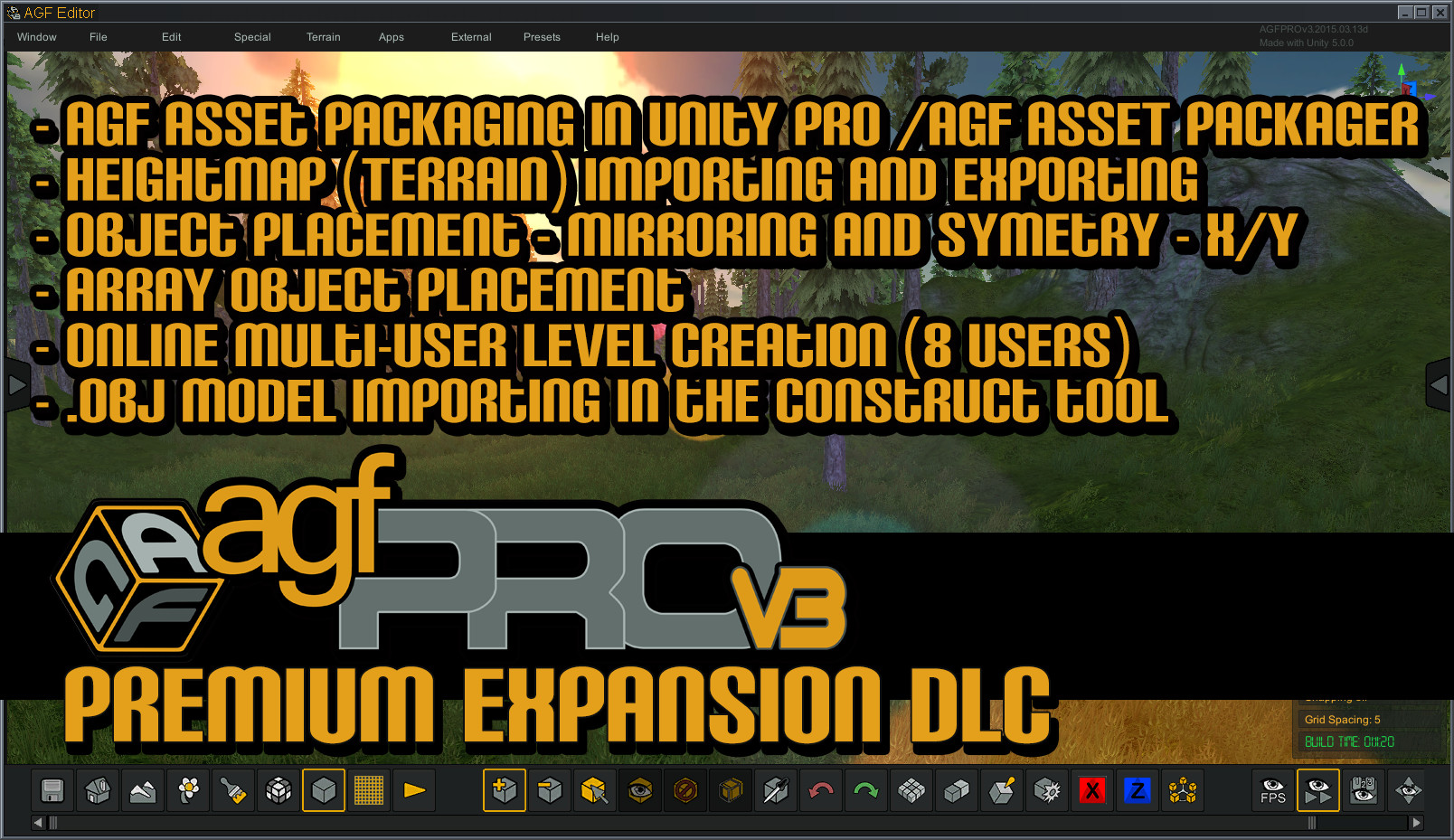
AGFPRO + PREMIUM ASSET Packager – users are able to package their assets in Unity Pro and use in the AGF tool-set
Batch Asset Processing
Automatic Icon Creation
Over 500 Source Art Assets and Samples are included for Premium users
MultiPlayer Co-op Development - up to 8 users at a time
Reflection tools
More Information on what AGFPRO is and what you can do with AGFPRO
Users are able to create game levels and maps using the software and also place characters (provided with the software) to play and explore their levels with multiple player style options (Action Role Playing, Platformer, FPS)
Just to be CLEAR – AGFPRO is NOT a game engine. It is literally made using the Unity game engine. AGFPRO is a real-time, RAPID Game Environment Development Toolkit and is made to be used in concert with Unity Free and Pro for level/map creation. – However, AGFPRO does NOT need Unity to run or create levels/maps.
The scene fi
スクリーンショット
評価・レビュー
全体レビュー 賛否両論 好評率 66.67% / 18件 取得:2026年8月27日 08:01
ATTENTION
注目度メトリクス
プレイヤー推移
データ蓄積中 24時間平均選択した期間に観測データはありません。
Steamフォロワー推移
2件以上で集計 直近7日選択した期間に観測データはありません。
プレイヤー数とフォロワー数は意味と単位が異なるため、 別々の時系列として表示しています。補間した値は使用していません。
発売後注目度の基礎指標 発売済みタイトルのため、現在プレイヤー数・ピーク値・Steamフォロワー数を組み合わせて勢いを観測します。
| 指標 | 現在値 | 観測状況 |
|---|---|---|
| 現在プレイヤー数 | 未集計 | 最終観測:未集計 |
| 24時間ピーク | データ蓄積中 | 未集計・直近7日 0件 |
| Steamフォロワー数 | 未集計 | 最終観測:未集計 |
| 7日フォロワー増加 | 2件以上で集計 | 未集計・直近7日 0件 |
PlayMEXが保存した観測値です。取得時刻と観測数を あわせて確認できます。
ジャンル・機能
ジャンル
機能カテゴリ
シングルプレイヤーダウンロードコンテンツマルチプレイヤーレベル編集可能
ゲームライフログ
所有ゲームとして同期されると、 このゲームの記録を残せます。