

GAME DETAIL
Space Mechanics: repair | hiring | crafting
種別:ゲーム
発売日:2025年6月30日
日本語対応未確認
580円
Steamレビュー
好評
90.9%
11件
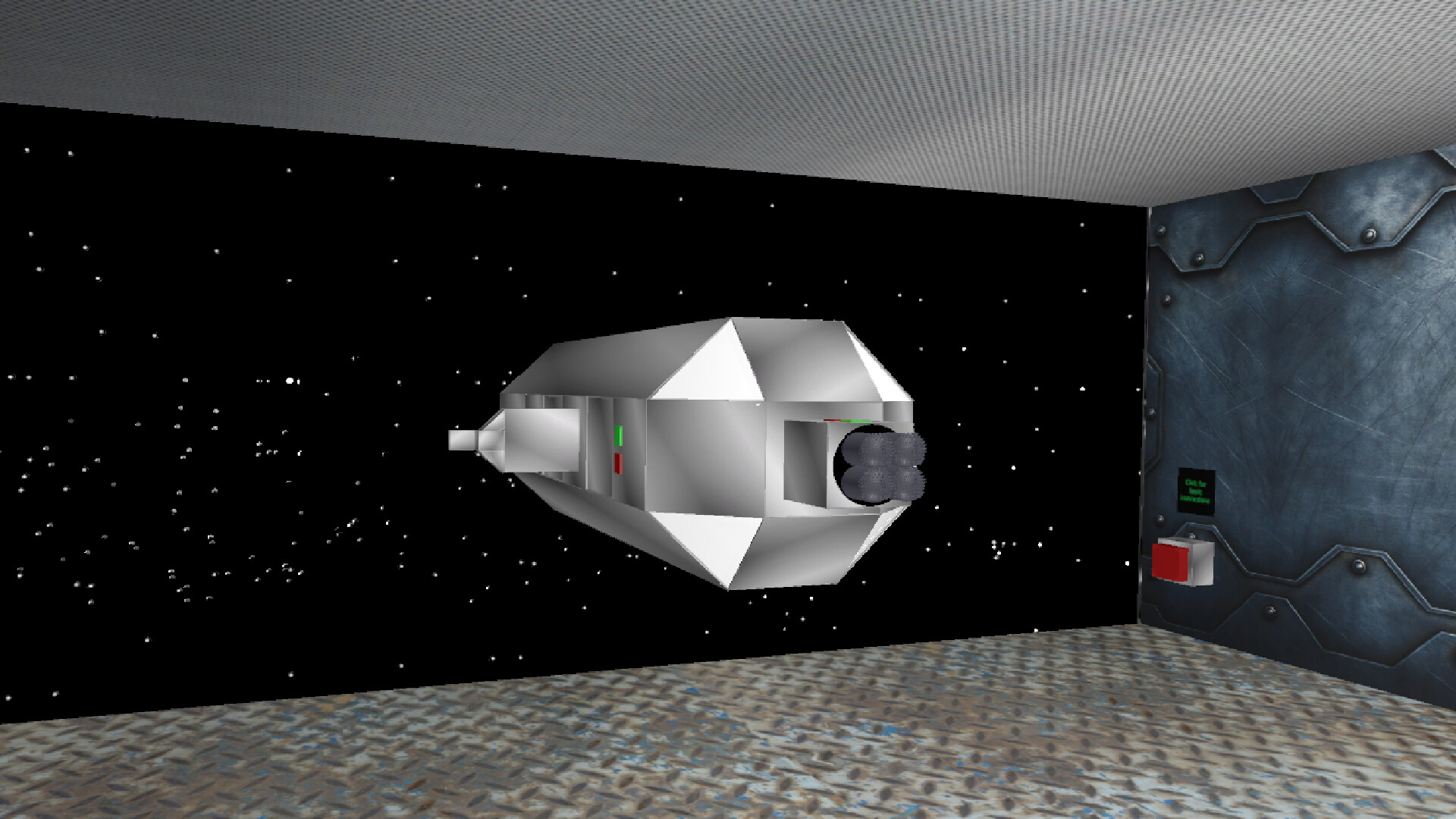
In "Space Mechanics: Repair | Hiring | Craft" you are the owner of a space repair station in which you have to work. Repair spaceships, get money for it, hire them and create items for sale or for your own purposes.
このゲームについて
Steamの詳しい説明を読む
Space Mechanics: repair | hiring | crafting is a space simulator of an engineer in the future.
repairing: Spaceships that need to be repaired will be delivered to you. Using standard welding and broken parts in the spaceship, you will be able to fix it and you will be paid for it. There are 13 types of spaceships in the game, in order for the gate to open and the spaceship to fly in, you need to press the button next to the gate. After the ship has arrived, you need to close the gateway and inspect the spaceship for malfunctions, and also replace parts or use welding, depending on the situation. After you have fixed everything, you need to press the same button, but if you have not fixed all the problems, the button will not work.
hiring: You can hire spaceships for the money you earn, they will mine minerals, there are 12 spaceships that can be hired: 2 to find ore, 1 cheap miner, 1 ordinary miner, 1 upgraded miner, 3 ordinary defenders, 3 upgraded defenders and 1 superluminal spaceship. There can be a total of 6 squads in the game, 5 ships each, for each squad you need to hire 1 spaceship to find ore, miners and defenders, but you can use a superluminal spaceship as defenders, 1 superluminal spaceship = 2 upgraded defenders = 4 regular defenders. The more units are formed, the greater the chance to find the best ore. The ores will be spawned in a box called "ores".
crafting: You can create alloys, melting furnaces, and higher-level crafters in a regular crafter that you can buy. inside the crafter, instructions will be given on what resources are needed for crafting, after you put the necessary ingots in the right places, you need to close the hatch of the crafter and wait about 15 seconds, after that the item will appear in the crafter, if it is an improved crafter or an improved melting furnace, then it will appear in the room. There are 3 types of crafters, 1 uranium factory and 3 types of melting furnaces in the game. There are 5 types of ores in the game: iron, silver, gold, titanium and uranium. If any of these metals are melted down, its value will increase, and if an alloy is made from the melted ingots, the value will become even greater.
other: during the game, most likely your light will turn off, press the F button, go to the store and click on the picture with a light bulb, this way you will buy a light.By clicking on the picture with a light bulb, you can multiply in a row, thereby increasing the duration of the lighting.
goal: get rich, build an interstellar spaceship and fly to the best place.
Controls: w - forward, s - backward, a - left, d - right, q - turn left, e - turn right, space - up, ctrl - down. By holding down the LMB on an object, you can move it. By using the mouse wheel, you can drag objects towards or away from you. By using the RMB, you can rotate an object.
スクリーンショット
評価・レビュー
全体レビュー 好評 好評率 90.91% / 11件 取得:2026年9月18日 06:56
ATTENTION
注目度メトリクス
プレイヤー推移
データ蓄積中 24時間平均選択した期間に観測データはありません。
Steamフォロワー推移
2件以上で集計 直近7日選択した期間に観測データはありません。
プレイヤー数とフォロワー数は意味と単位が異なるため、 別々の時系列として表示しています。補間した値は使用していません。
発売後注目度の基礎指標 発売済みタイトルのため、現在プレイヤー数・ピーク値・Steamフォロワー数を組み合わせて勢いを観測します。
| 指標 | 現在値 | 観測状況 |
|---|---|---|
| 現在プレイヤー数 | 0人 | 最終観測:2026年8月22日 04:26(35日経過) |
| 24時間ピーク | データ蓄積中 | 履歴あり・更新待ち・直近7日 0件 |
| Steamフォロワー数 | 未集計 | 最終観測:未集計 |
| 7日フォロワー増加 | 2件以上で集計 | 未集計・直近7日 0件 |
PlayMEXが保存した観測値です。取得時刻と観測数を あわせて確認できます。
ジャンル・機能
ジャンル
機能カテゴリ
ファミリーシェアリング
ゲームライフログ
所有ゲームとして同期されると、 このゲームの記録を残せます。