

GAME DETAIL
Vector Approach
種別:ゲーム
発売日:2026年3月20日
日本語対応未確認
1,200円
Vector Approach is a minimalist ATC Radar trainer. Use mouse and keyboard commands to identify traffic (“Roger”), vector, sequence arrivals, manage departures with runway timing. Check 5-NM separation, capture the ILS or issue go-arounds. Fast to start, hard to master.
このゲームについて
Steamの詳しい説明を読む
APP Radar Sim is a minimalist real-time approach air traffic control simulator focused on realistic radar-based ATC operations.
You take the role of an approach controller, responsible for managing arriving and departing aircraft around a single airport. Aircraft appear on the radar scope inbound toward the runway or waiting for departure. Your task is to safely guide traffic, maintain separation, and keep the flow of aircraft moving efficiently.
Using the radar interface, you issue commands through a control panel. You can assign headings, altitudes, speed instructions, and approach clearances such as Cleared ILS, Report runway in sight, and Contact Tower. Every command you give is transmitted to the aircraft with simulated radio audio, recreating the feel of real ATC communication.
Arriving aircraft must be sequenced and vectored onto the ILS approach. You guide them using radar vectors until they intercept the localizer with proper geometry. Once established, they continue to land and are handed over to the tower.
At the same time, departing aircraft request takeoff. You must watch the arrival flow and wait for a safe gap before clearing them for departure. After takeoff the aircraft climbs through 2000 ft and enters your radar control area, where you guide it toward the exit fix before handing it over to area control.
Aircraft behavior varies depending on type. The simulator includes turboprop aircraft and medium jet aircraft, each with different speeds and climb performance, requiring different spacing and sequencing strategies.
Traffic intensity can be adjusted from the interface panel. Higher traffic levels increase workload and require careful planning to maintain standard 5 NM radar separation.
The simulation includes transition altitude and flight levels, meaning altitude instructions automatically change between feet and flight levels depending on the aircraft’s altitude.
Your performance is measured through a scoring system. Points are awarded for:
successful ILS arrivals
correct tower handovers
proper departures handed to ACC
Mistakes such as incorrect clearances or missed handovers reduce your score. Four mistakes end the session, while loss of separation between aircraft results in immediate game over.
Game progression and scores can be saved, allowing you to continue sessions and improve your performance over time.
Typical Gameplay Session
A session begins with several aircraft already inbound toward the airport. You start by issuing radar vectors to organize them into a landing sequence. One aircraft may be turned downwind while another is cleared to intercept the ILS.
As the first aircraft approaches the runway, you clear it for the ILS and monitor spacing to maintain the required 5 NM separation. Once established on the approach, it is handed over to the tower.
Meanwhile, a departing aircraft requests takeoff. You wait for a safe gap in the arrival flow before clearing it for departure. After takeoff it climbs through 2000 ft and enters your radar control area, where you assign headings and altitudes toward its exit fix before handing it over to area control.
As traffic increases, you must continuously balance arrivals and departures, anticipate conflicts, and make quick decisions to maintain safe separation and efficient traffic flow.
Radar Interface
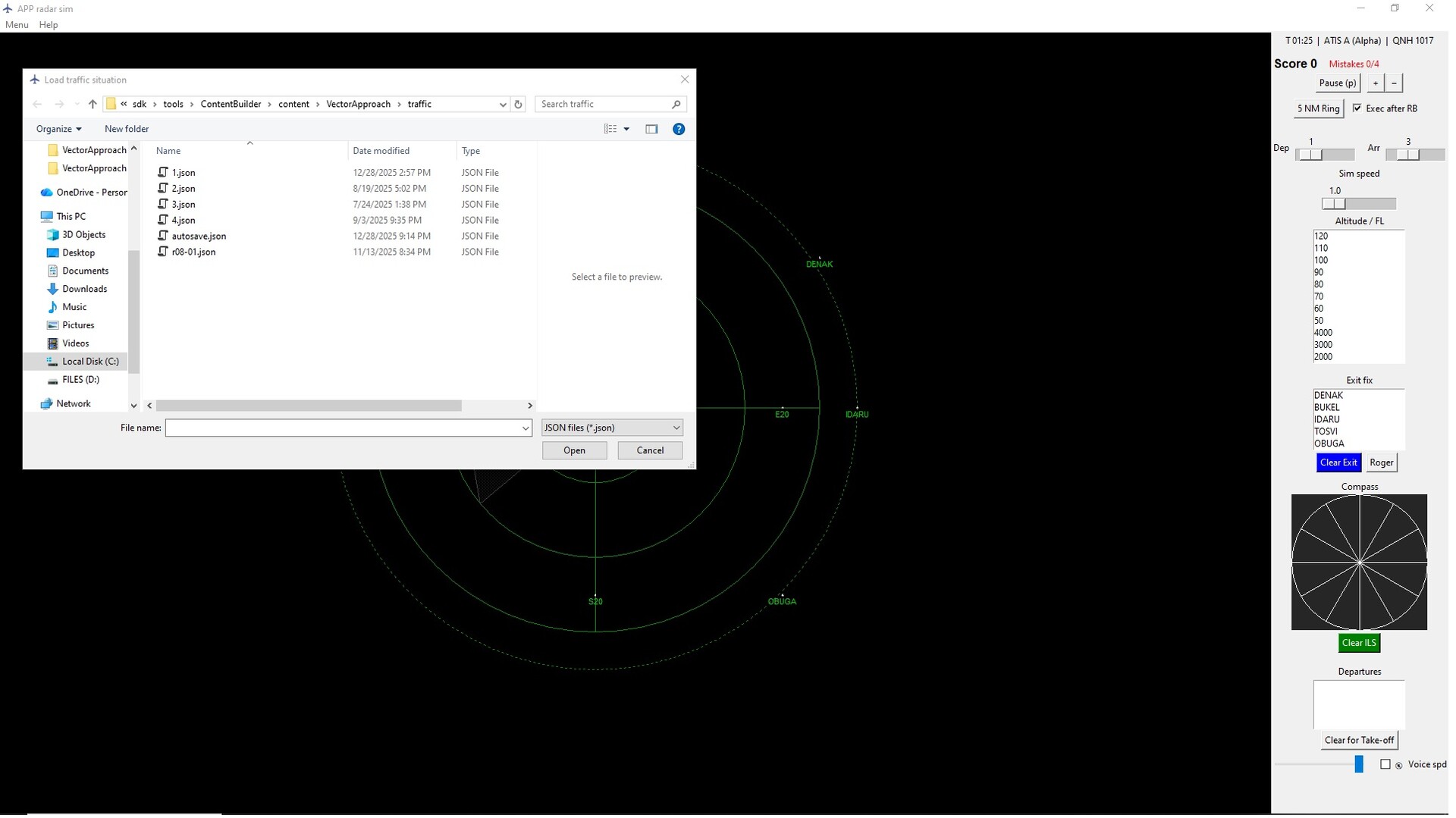
The simulation takes place on a clean radar scope showing aircraft positions, headings, speed, altitude, and assigned exit fixes. Each aircraft has a radar label displaying its current instructions and status. The interface is designed for clarity and fast decision-making, allowing the player to monitor multiple aircraft simultaneously and anticipate potential conflicts.
Aircraft movement, turns, climbs, and descents are simulated in real time, allowing the player to see the immediate results of issued instructions directly on the radar display.
Command System
All aircraft instructions are issued through a command panel. The player selects commands such as heading changes, altitude clearances, approach clearances, and handovers. Once selected, the command is transmitted to the aircraft and played through simulated ATC radio audio, reproducing the communication style of real air traffic control.
This system allows commands to be issued quickly while keeping the focus on traffic management and sequencing rather than complex menus.
✈️ Key Features
Real-time radar approach control gameplay
Vector aircraft using heading, altitude, and approach clearances
Sequence arrivals onto the ILS
Manage departures and find safe gaps in arrival traffic
Simulated ATC radio commands with audio playback
Two aircraft performance types (turboprops and jets)
Realistic 5 NM radar separation rules
Adjustable traffic intensity and workload
Transition altitude and flight level system
Score system with mistakes and game-over conditions
Minimalist radar interface focused on decision making
スクリーンショット
ATTENTION
注目度メトリクス
プレイヤー推移
データ蓄積中 24時間平均選択した期間に観測データはありません。
Steamフォロワー推移
2件以上で集計 直近7日選択した期間に観測データはありません。
プレイヤー数とフォロワー数は意味と単位が異なるため、 別々の時系列として表示しています。補間した値は使用していません。
発売後注目度の基礎指標 発売済みタイトルのため、現在プレイヤー数・ピーク値・Steamフォロワー数を組み合わせて勢いを観測します。
| 指標 | 現在値 | 観測状況 |
|---|---|---|
| 現在プレイヤー数 | 0人 | 最終観測:2026年8月22日 11:41(34日経過) |
| 24時間ピーク | データ蓄積中 | 履歴あり・更新待ち・直近7日 0件 |
| Steamフォロワー数 | 未集計 | 最終観測:未集計 |
| 7日フォロワー増加 | 2件以上で集計 | 未集計・直近7日 0件 |
PlayMEXが保存した観測値です。取得時刻と観測数を あわせて確認できます。
ジャンル・機能
機能カテゴリ
いつでもセーブ可能ファミリーシェアリング難易度の調整
ゲームライフログ
所有ゲームとして同期されると、 このゲームの記録を残せます。