
GAME DETAIL
Remnith
種別:ゲーム
発売日:2017年8月29日
日本語対応未確認
520円
Steamレビュー
やや好評
70.4%
27件
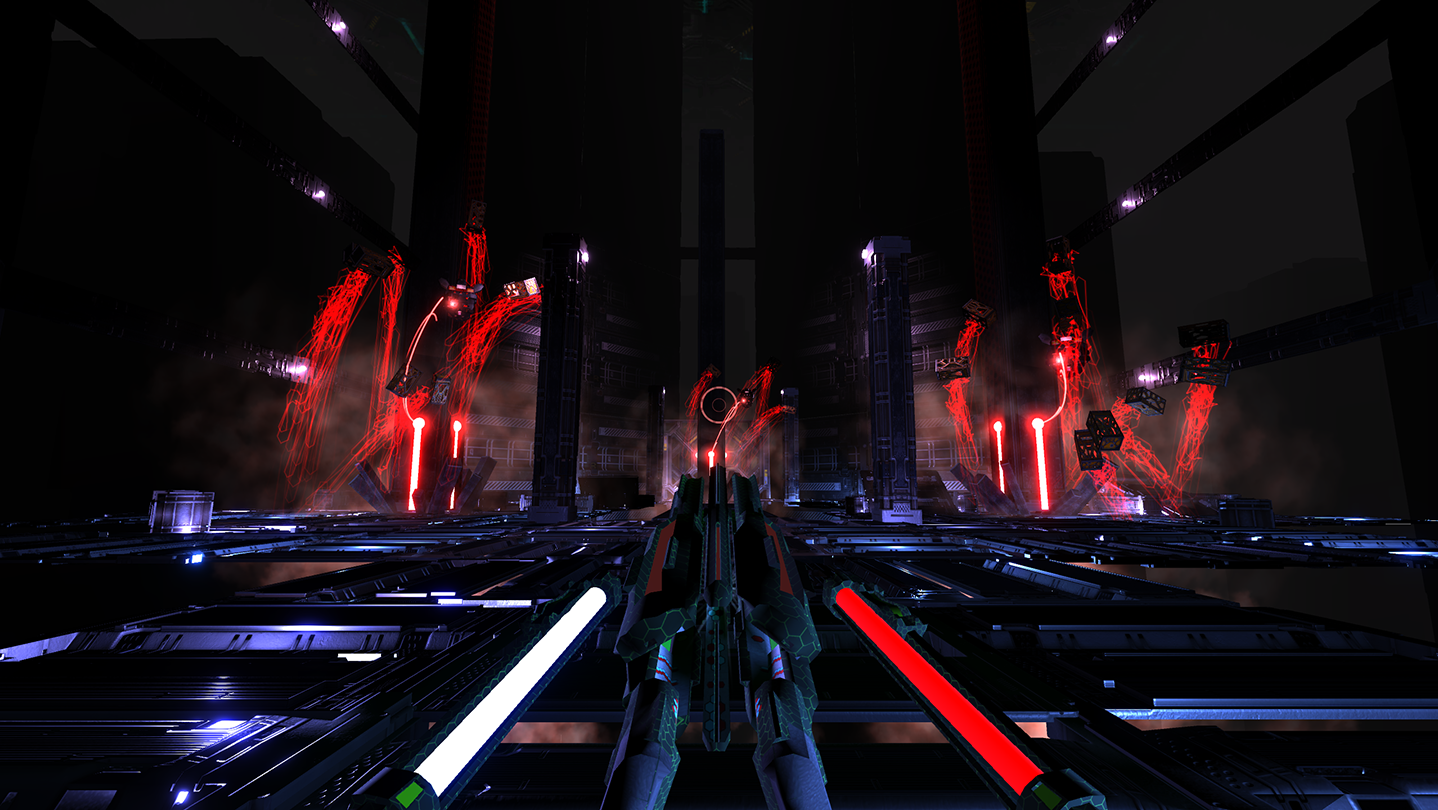
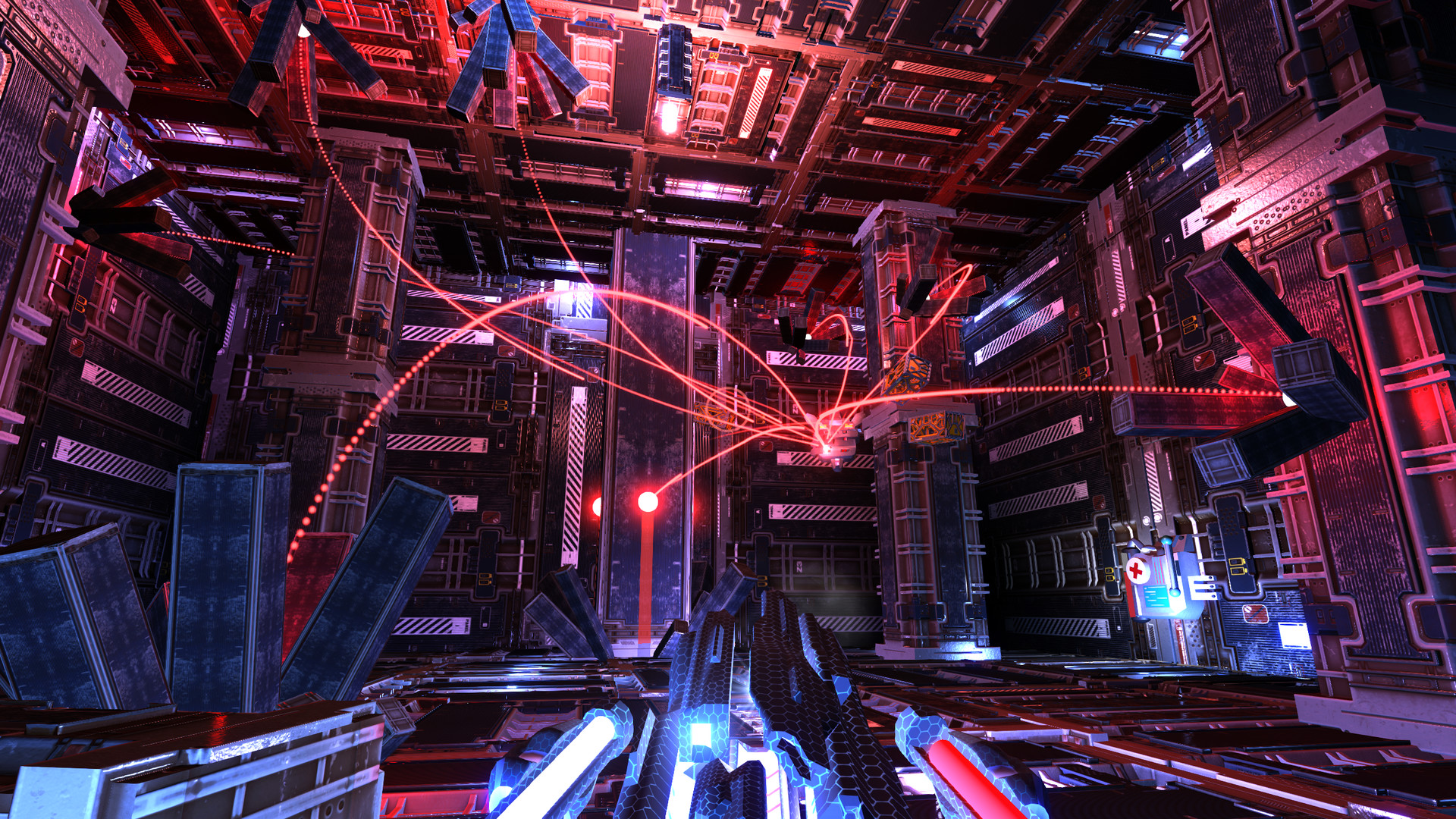
Remnith is a chaotic arcade style VR shooter where enemy units feed off of the energy of every shot that isn't lodged directly into them. The more you miss the stronger they get.
このゲームについて
Steamの詳しい説明を読む
Remnith is a chaotic arcade style VR shooter where enemy units feed off of the energy of every shot that isn't lodged directly into them. The more you miss the stronger they get.
You're plunged into a hostile metallic world and the only way to escape is to fight your way back up. Battles take place in over 25 arenas spread across 3 levels with various optional arenas if you're not in a rush to get out. Don't expect enemies to be pushovers, every battle is a boss battle.
There's three enemy types that you'll encounter that'll evolve and use different tactics as you make it through the game. The first enemy you find may feel like a tin can but by the end of the game you'll have the death screen burned into your eyes. Remnith has five difficulty levels. If you don't like dying or want to run through the game quickly then try out the Tin Can difficulty. If you really want a challenge then Doomsday Device is for you.
Everytime the environment is shot an Energy Scab is created that feeds energy into all enemies in the area. This strengthens them in various ways and speeds up the evolution process. The weakest enemy can turn into something you'd encounter by the end of the game given enough energy.
A single barrel cannon is easy to use but a triple barrel cannon requires you to line up all three crosshairs to utilize its full power. It's up to you to decide which weapon will best tear your enemies apart without risking missing.
Motion controllers, gamepads and mouse & keyboard setups are all supported. When using motion controllers you have a choice of a few locomotion options such as thumbstick/trackpad movement and teleportation. You can play either sitting or standing, the game isn't room-scaled but you do need a 360 setup if you're going to play standing without thumbstick/trackpad turning. There's also a flat mode if you want to play without a VR headset.
If you're used to quick movements in VR then you'll be able dash around your enemies and jump off of ramps. If you prefer an experience that's easier on your stomach then you can use long range teleportation and snipe your enemies across the map. Teleportation works no matter where your destination point is allowing you to focus on your target rather than finding a valid place to teleport. If you need to teleport out of the way quickly just point in the general direction you want to go without looking. If a wall was selected you'll teleport to the nearest point on the floor.
Your cannons are controlled based off of where your pointing when using motion controllers, when using a gamepad or mouse you aim where you look. Gameplay footage above thanks to MattyNet and The VR Viking on Youtube.Launching The Game:
To play Vive mode run the game using SteamVR as you normally would. To play with the Rift, make sure SteamVR is closed and launch the game in Oculus VR Mode. To play in Desktop mode just launch the game normally.
Controls Overview:
Vive-Shoot with your primary trigger, click your primary trackpad to jump and click the other trackpad to dash. To move you can use trackpads to move normally or use the secondary controller to point in the direction you want to go and push the trackpad outwards to control your speed. With traditional movement you have the choice of moving relative to the rotation of your head or controller. You turn physically by default but you can turn on trackpad turning in the settings.
For players using teleportation you just need to hold the trackpad or trigger on the secondary controller to select a point and release to teleport. Teleportation is instant by default but a fade can be added through the settings.
Oculus Touch-Shoot with your primary trigger, dash with the secondary trigger and jump with A. To move you can use thumbsticks to move normally or use the secondary controller to point in the direction you want to go and push the thumbstick outwards to control your speed. With traditional thumbstick movement you have the choice of moving relative to the rotation of your head or controller. You turn physically by default but you can turn on thumbstick turning in the settings.
For players using teleportation you just need to hold the trigger on the secondary controller to select a point and release to teleport. Teleportation is instant by default but a fade can be added through the settings. To take a screenshot hold down both grip triggers, this will save in Documents/Remnith/Screenshots.
Gamepad-Right trigger to shoot, left bumper to dash and A to jump. Move with the left stick and turn with the right stick. To take a screenshot press the left trigger, this will save in Documents/Remnith/Screenshots.
Keyboard & Mouse-Click to shoot, shift to dash, space to jump and WASD to move.
スクリーンショット
評価・レビュー
全体レビュー やや好評 好評率 70.37% / 27件 取得:2026年9月3日 15:04
日本語レビュー レビュー不足または未評価 好評率 100.00% / 1件 取得:2026年9月3日 15:04
ATTENTION
注目度メトリクス
プレイヤー推移
データ蓄積中 24時間平均選択した期間に観測データはありません。
Steamフォロワー推移
2件以上で集計 直近7日選択した期間に観測データはありません。
プレイヤー数とフォロワー数は意味と単位が異なるため、 別々の時系列として表示しています。補間した値は使用していません。
発売後注目度の基礎指標 発売済みタイトルのため、現在プレイヤー数・ピーク値・Steamフォロワー数を組み合わせて勢いを観測します。
| 指標 | 現在値 | 観測状況 |
|---|---|---|
| 現在プレイヤー数 | 0人 | 最終観測:2026年7月26日 16:10(63日経過) |
| 24時間ピーク | データ蓄積中 | 履歴あり・更新待ち・直近7日 0件 |
| Steamフォロワー数 | 148人 | 最終観測:2026年7月26日 16:10(63日経過) |
| 7日フォロワー増加 | 2件以上で集計 | 履歴あり・更新待ち・直近7日 0件 |
PlayMEXが保存した観測値です。取得時刻と観測数を あわせて確認できます。
ジャンル・機能
機能カテゴリ
SteamトレーディングカードSteam実績VR対応シングルプレイヤーファミリーシェアリングフルコントローラサポート被追跡コントローラサポート
ゲームライフログ
所有ゲームとして同期されると、 このゲームの記録を残せます。